

MSTDP123HD | StarTech

Security policy

Delivery policy

Return policy
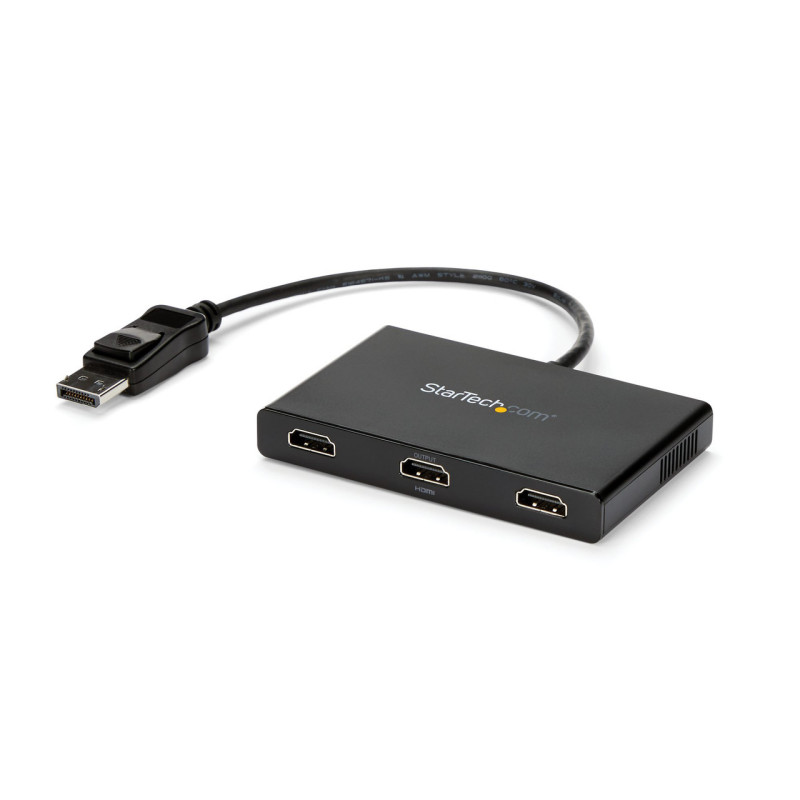
This MST hub lets you connect three HDMI® monitors to your DisplayPort™ (DP) 1.2 equipped Windows® laptop or desktop.
The newest generations of computers are more portable than ever, which often means that you’re left with fewer video outputs and smaller integrated screens. This MST hub solves both of these problems by letting you connect three additional displays to your computer, which makes multitasking much easier.
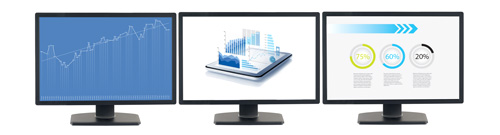
Using the MST hub, you can extend your desktop onto additional monitors and stream independent content to each display. You can also mirror the same image onto multiple HDMI televisions or projectors for remote viewing applications such as digital signage.
MST technology uses your existing video card to minimize the use of system resources while delivering Ultra HD 4K resolutions. This unprecedented performance makes MST perfect for high-resolution applications such as graphic design, gaming and medical imaging.
Note: When using a DisplayPort 1.1 video card the MSTDP123HD will act as splitter, automatically mirroring your video source across all displays. Resolution limitations apply.
The MSTDP123HD supports plug-and-play installation for a hassle-free setup, and is backed by a StarTech.com 3-year warranty and free lifetime technical support.
Note: MST shares 21.6 Gbps across all attached displays. Higher resolutions can restrict the available bandwidth with the remaining ports, please see our guideline below for determining an ideal resolution for your setup. Certain graphics adapters have limited MST support and will only output to three displays in total. If more than three monitors are attached the fourth will be disabled. Some monitors limit available resolution
Average Resolution Bandwidth Allocation
1920x1080 (High-definition 1080p) @60hz - 22%
1920x1200 @60hz - 30%
2560x1440 @60hz - 35%
2560x1600 @60hz - 38%
3840 x 2160 (Ultra HD 4K) @30hz - 43%
Note: Exceeding 100% will reduce functionality.
Examples of Supported Resolution Configurations
Screen 1 Resolution |
Screen 2 Resolution |
Screen 3 Resolution |
Total % of Bandwidth |
|---|---|---|---|
| 1920x1200 @60hz (30%) | 1920x1200 @60hz (30%) | 1920x1200 @60hz (30%) | 90% |
| 2560x1440 @60hz (35%) | 2560x1440 @60hz (35%) | 1920x1200 @60hz (30%) | 92% |
| 2560x1600 @60hz (38%) | 2560x1600 @60hz (38%) | 1920x1080 @60hz (22%) | 98% |
| 3840x2160 @30hz (43%) | 1920x1200 @60hz (30%) | 1920x1080 @60hz (22%) | 95% |
| 3840x2160 @30hz (43%) | 3840x2160 @30hz (43%) | None | 86% |
Examples of Unsupported Resolution Configurations
Screen 1 Resolution |
Screen 2 Resolution |
Screen 3 Resolution |
Total % of Bandwidth |
|---|---|---|---|
| 2560x1600 @60hz (38%) | 2560x1600 @60hz (38%) | 1920x1200 @60hz (30%) | 106% |
| 3840x2160 @30hz (43%) | 2560x1600 @60hz (43%) | 1920x1200 @60hz (30%) | 116% |
| 3840x2160 @30hz (43%) | 2560x1600 @60hz (43%) | 2560x1440 @60hz (35%) | 121% |
| 3840x2160 @30hz (43%) | 3840x2160 @30hz (43%) | 3840x2160 @30hz (38%) | 124% |
Your review appreciation cannot be sent
Report comment
Report sent
Your report cannot be sent
Write your review
Review sent
Your review cannot be sent
check_circle
check_circle